

- Public API Key: Identifies the application.
- User Key: Identifies your user account.
How to get the keys
To access your own account data, you must generate a user-specific key through the eToro platform. Please follow these steps:1. Navigate to Settings > Trading
Log in to your eToro account. In the sidebar menu, click on Settings. From the settings menu, select the Trading option.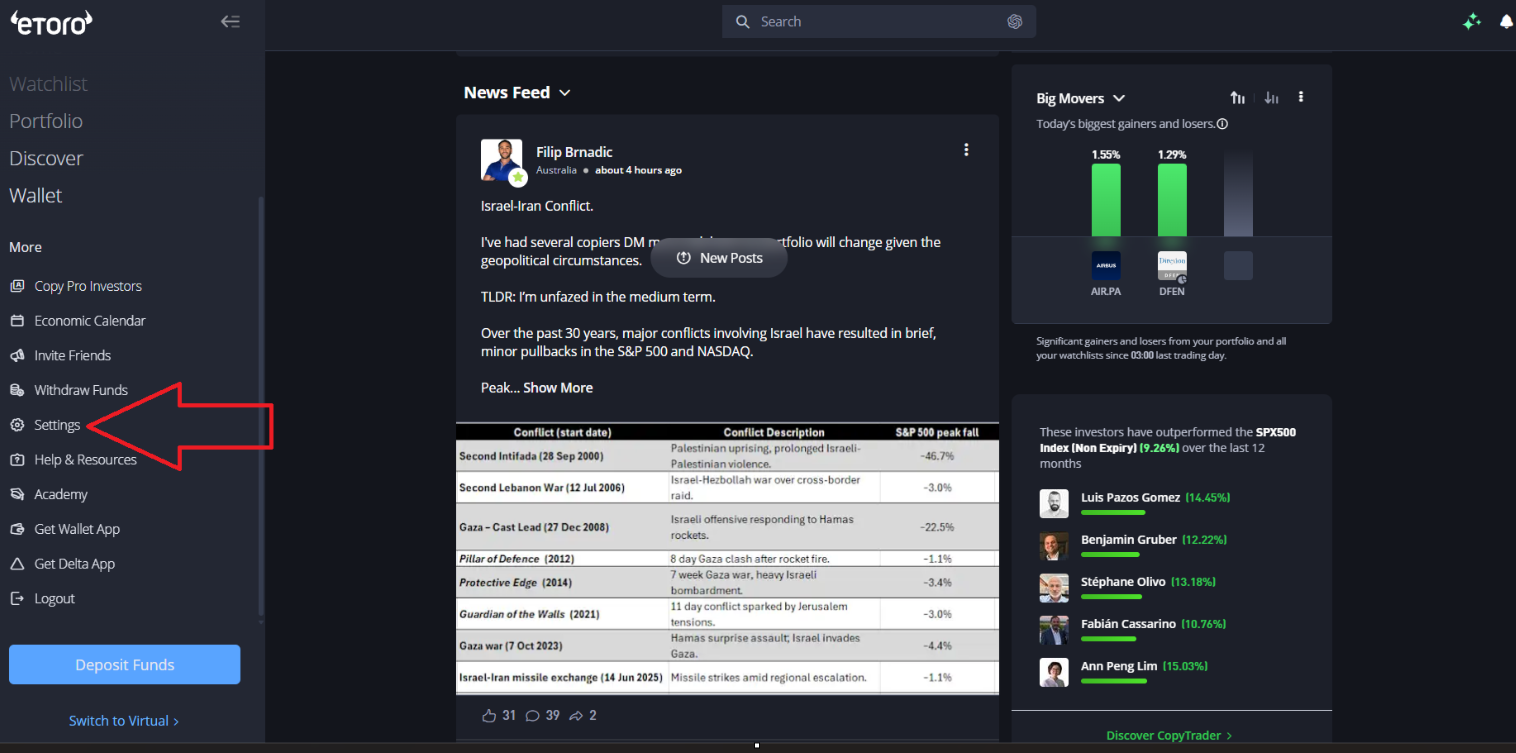
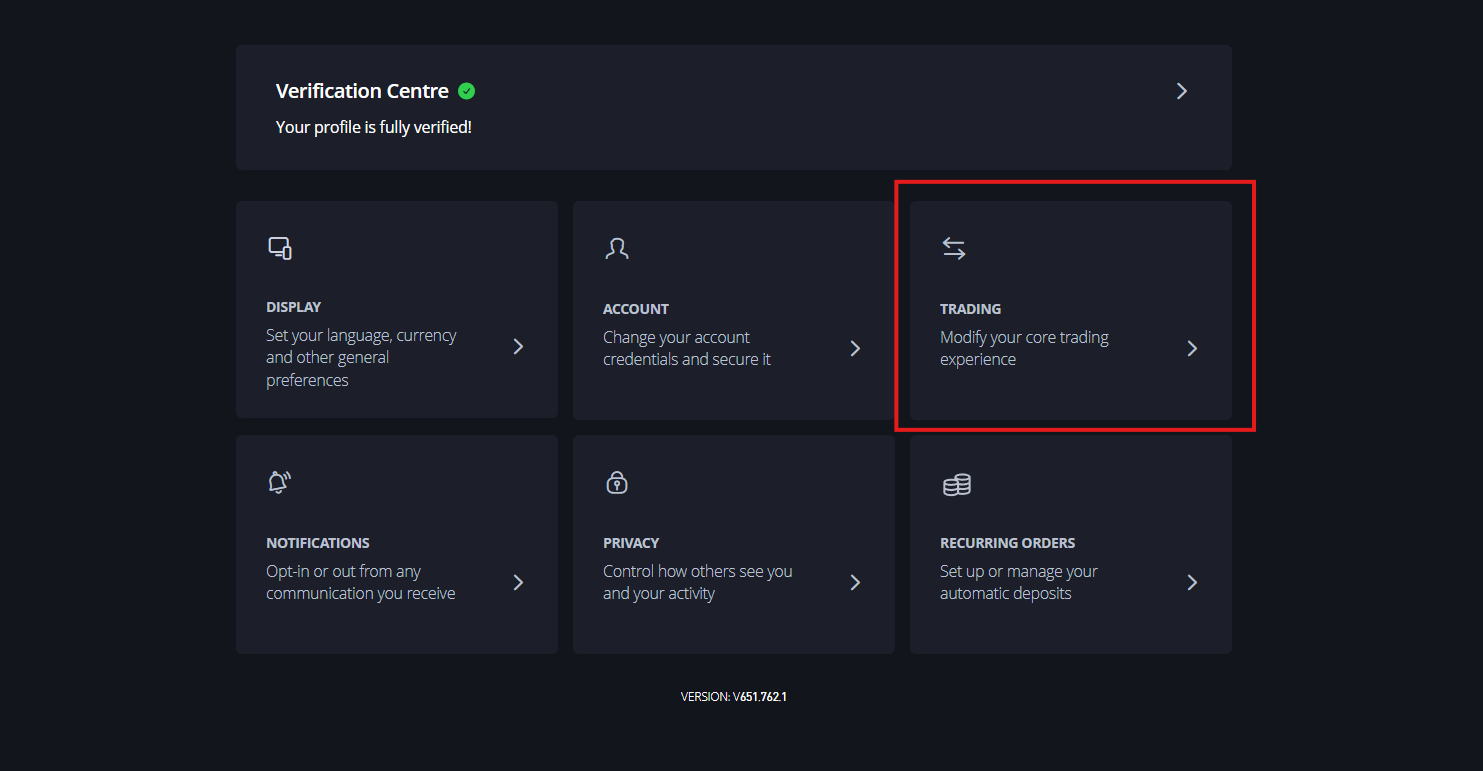
2. Create a New Key
Scroll to the “API Key Management” section and click the Create New Key button.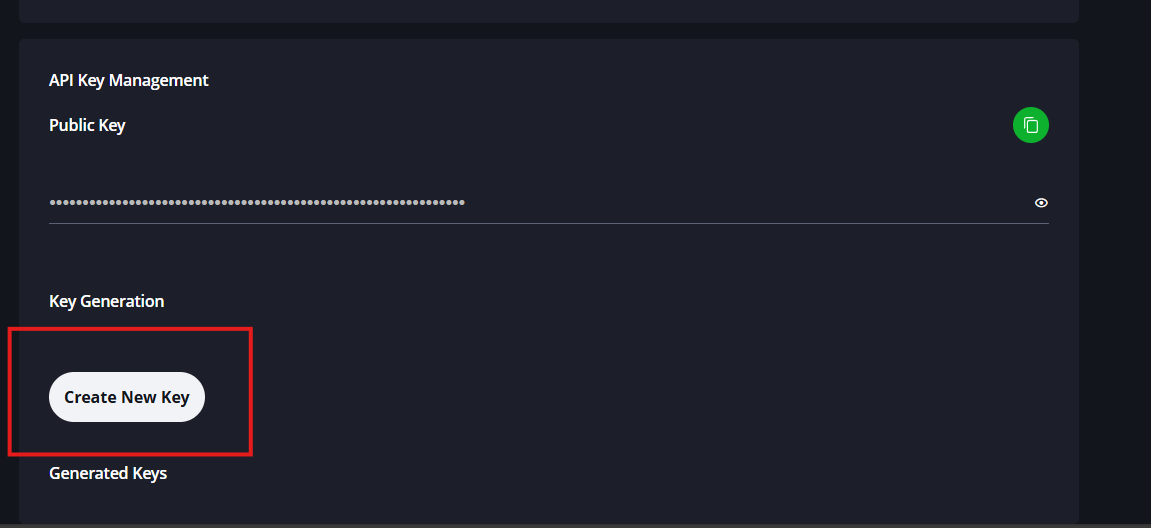
3. Configure Key Permissions
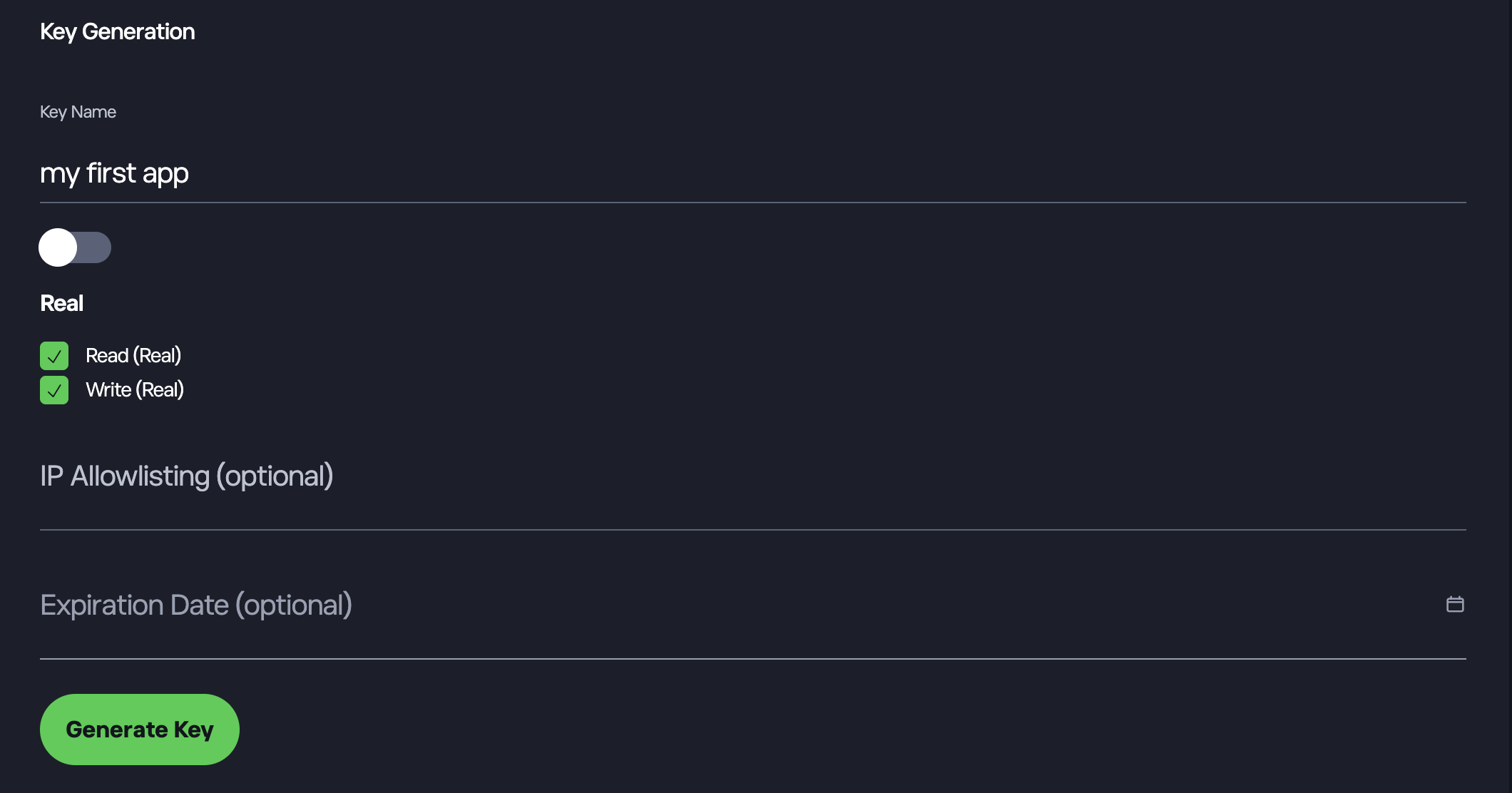
A “Key Generation” modal will appear. Complete the following fields:- Key Name: Enter any name you wish to identify this key.
- Environment: Select either “Demo” or “Real”. Each key can only be used for one environment. If you need to use both, please create two keys.
- Permissions: Select “Read” if you only need to access your portfolio data. Select “Write” if you need to execute trades.
- Security: You may optionally configure an “IPS Whitelist” or set an “Expiration Date”.
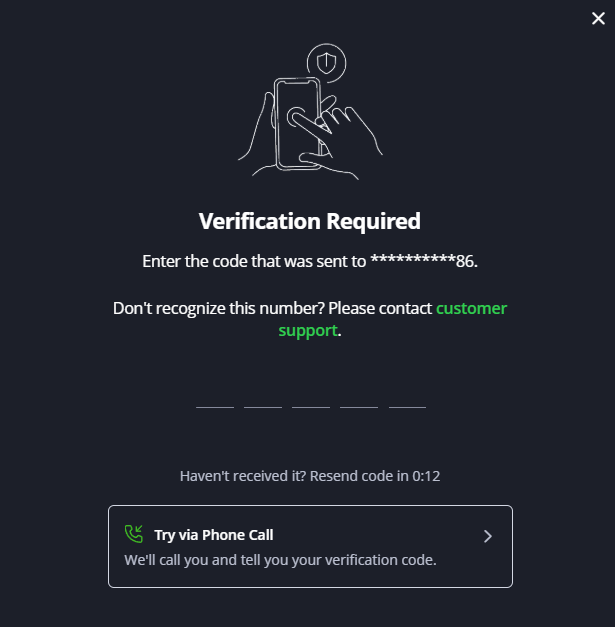
4. Verify Identity
For security, you will be prompted to enter a verification code sent to your mobile device.Tip: If you do not receive the SMS code after approximately 10 seconds, use the “Try via Phone Call” option.
5. Copy Your Credentials
Once verified, your new key (the ETORO_USER_KEY) will appear in the “Generated Keys” list at the bottom of the screen. Click the Copy icon on the right side of the key field to copy the string to your clipboard.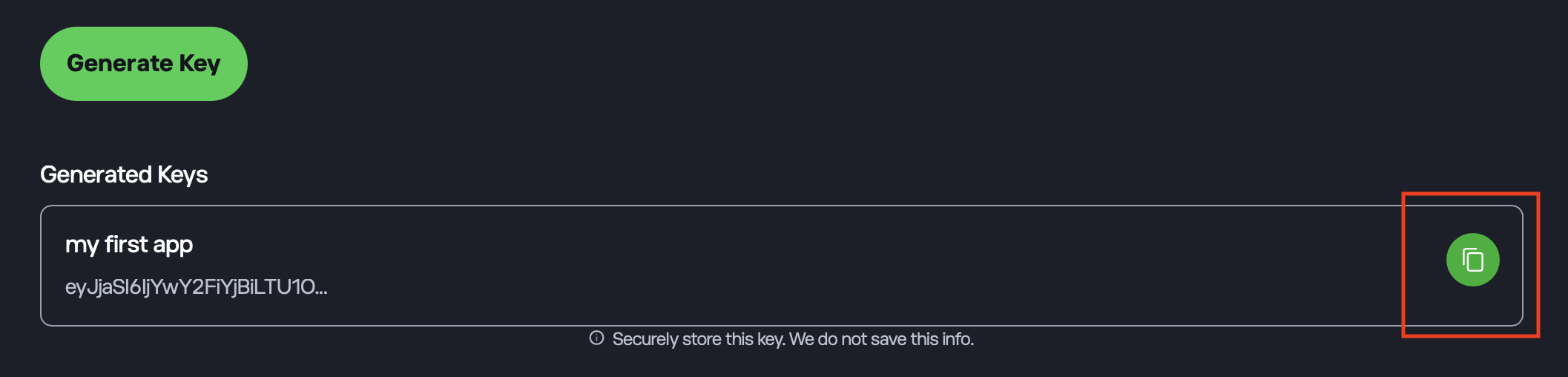
Header Format
All requests must include the following headers:- x-request-id: A unique UUID for the request.
- x-api-key: Your Public API Key.
- x-user-key: Your User Key.